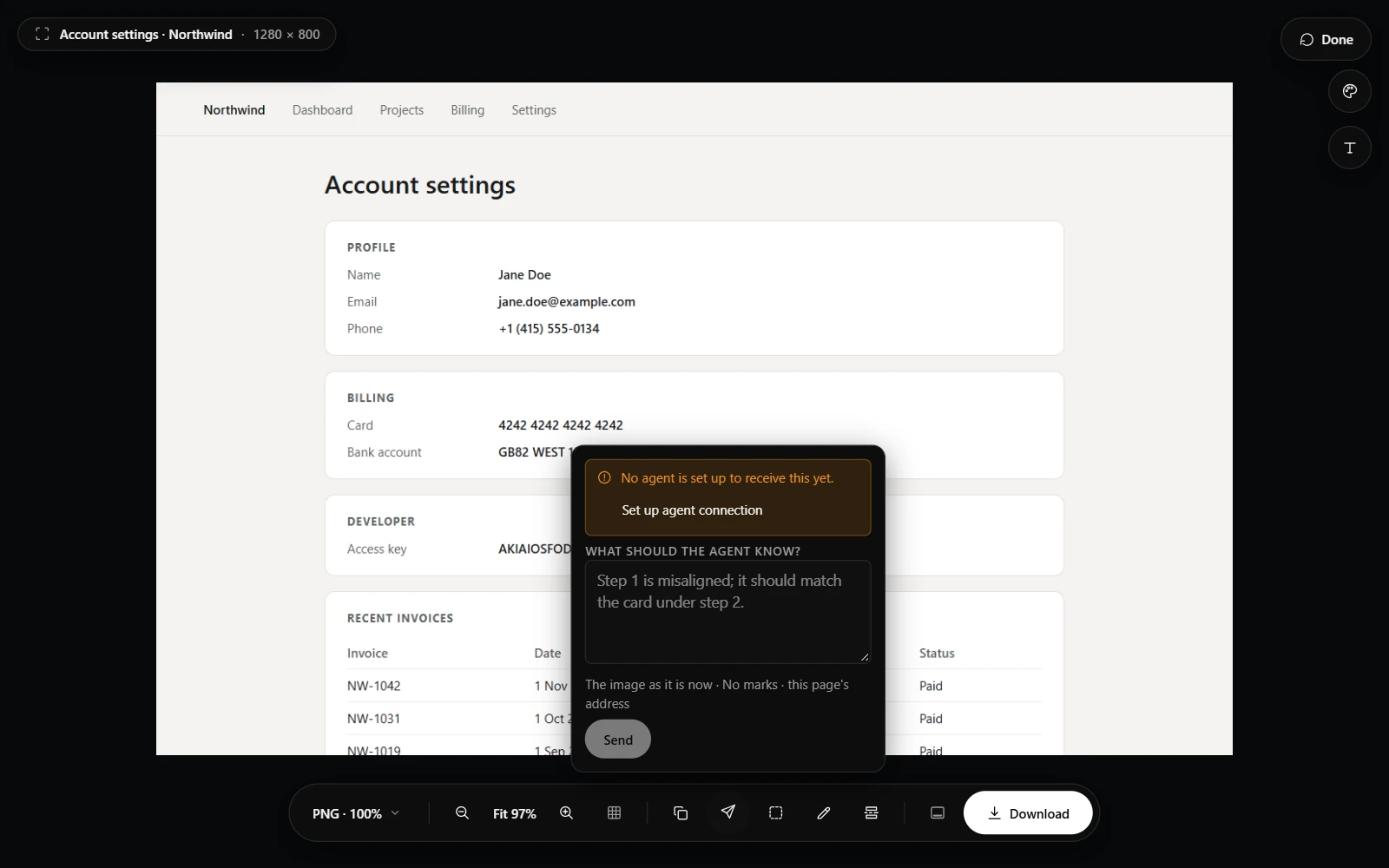

Send a capture
- Capture the page and mark it up: a box around the problem, numbered steps, an arrow.
- Press Send to agent on the result page. It appears while the agent connection is on.
- Write what the agent should know, and press Send.
- Numbered steps plus a note are the clearest way to say “1 is broken, 2 should look like 3”: the agent receives each step's number and position.
When the agent asks
An agent can ask you to show it something and wait. Send to agent as usual, and its wait ends with your screenshot. It can also ask you to choose an area: the region picker opens, you draw on the area and add a note, and both reach the agent with the capture.
Whether or not an agent is listening
What you send waits in a small inbox on this device, the newest 20, until an agent picks it up. Anything you redacted is described only by where it is; what it hid never travels.
The panel tells you which it will be. With no agent connected right now, it says the screenshot is kept until your agent checks for it, and Send still works. With no agent set up at all, it says so, offers Set up agent connection, and Send stays off, since nothing would ever pick the screenshot up. If your agent's pairing secret no longer matches, it says that too.