
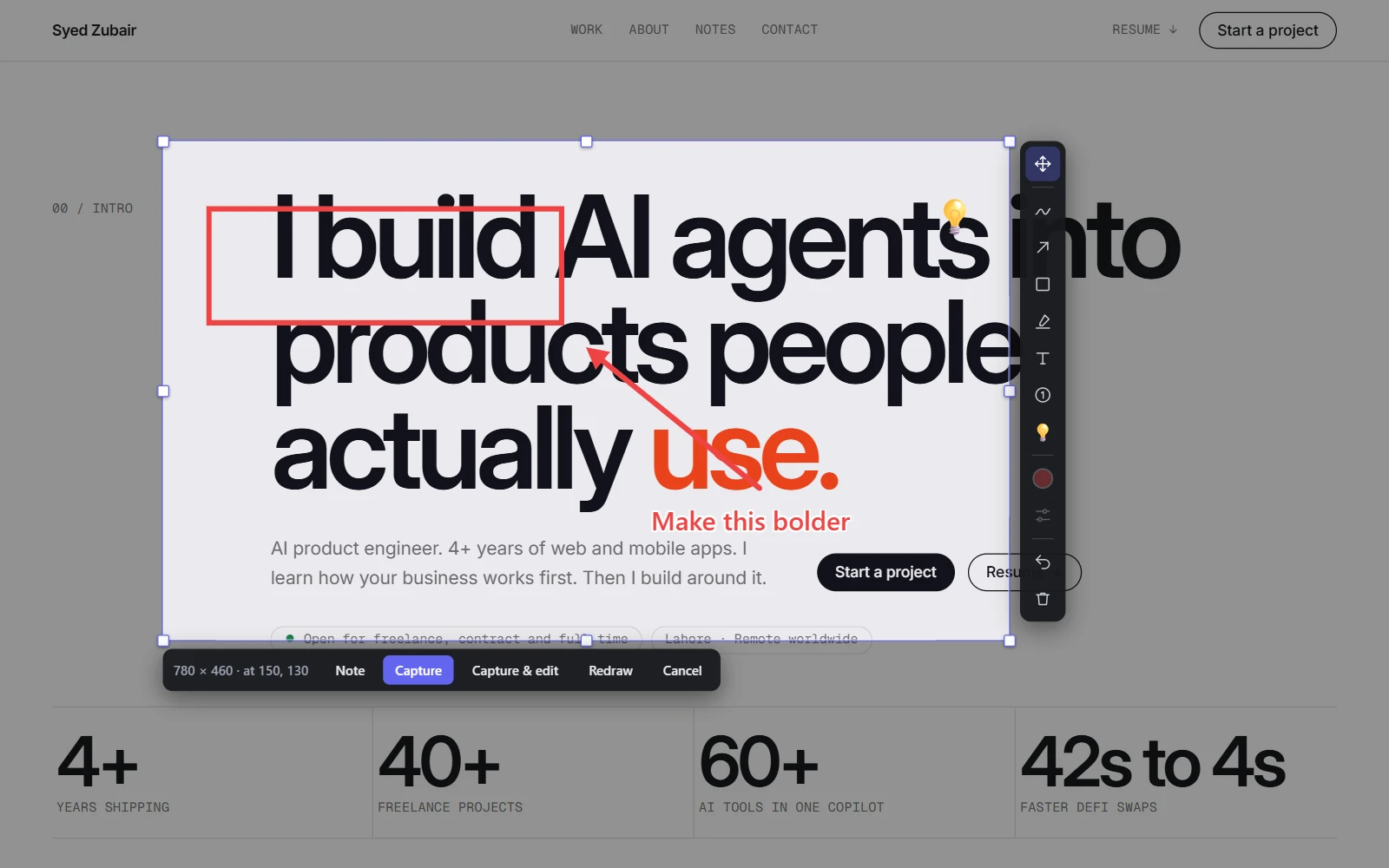
Where the toolbar appears
Choose Region and draw an area. As soon as you let go, a column of tools stands beside it: on the right if there is room, otherwise on the left. The bar with Capture, Note, Redraw and Cancel stays under the area, and moves out of the toolbar's way when the two would meet.
The first tool, Adjust area and marks, is the picker you already know: drag a corner or an edge to resize the area, drag inside it to move it, nudge it with the arrow keys.
The tools
- Pen: draw freehand.
- Arrow: point at something. Options sets one head, two, or a plain line.
- Box: outline a control. Options sets a rectangle, rounded rectangle, ellipse, triangle or diamond.
- Highlight: lay a translucent band over text.
- Text: click where the label goes, type, and press Enter. Shift+Enter starts a new line.
- Step: number a sequence. Shown when Step numbers is on in Settings, under Features.
- Emoji: pick one from the panel, then click to place it.
- Colour sets the colour of the next mark. Options sets how thick a line is, how big text or an emoji is, a box's outline and an arrow's ends.
- Hold Shift while you drag to keep a box square or a line level.
Fix a mark before you capture
Choose Adjust area and marks and click something you drew to pick it up. Drag it to move it, press Delete to remove it, or nudge it with the arrow keys. Colour and Options change the picked-up mark. Escape puts it down; a second Escape cancels the capture.
Ctrl+Z undoes and Ctrl+Shift+Z redoes, one step at a time, including moves. The bin removes the picked-up mark, or clears every drawing when nothing is picked up.
Capture, or capture and keep editing
Capture takes the picture with your drawings painted in. Capture & edit, or Shift+Enter, does the same and opens the result straight in the full editor, for the tools the page toolbar does not have: redaction, rotating a mark, text styling and style presets.
Your drawings stay on the page content, not the screen. Scroll, and they scroll with what they mark. Move the area and anything left outside it is simply not in the shot.