
Keep them
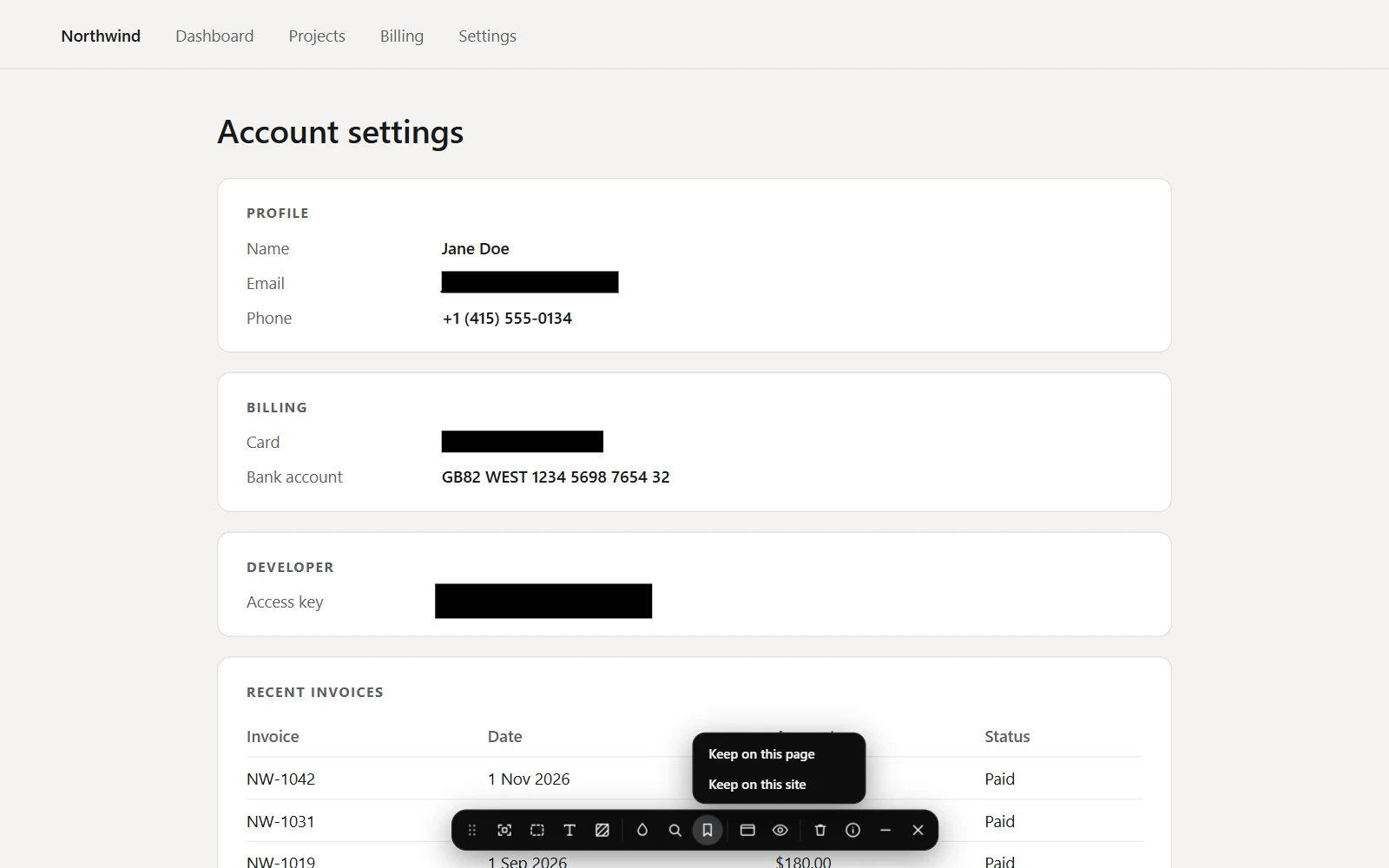
- Cover what you want with Element or Area.
- Open Keep blurs on the toolbar.
- Choose Keep on this page, or Keep on this site for every page of it.
How they come back
An element cover is kept as a rule that covers every element like it, so a list of account numbers stays covered however long it grows. An area cover comes back only when the window is the width it was drawn at, to within a pixel, since at any other width the page underneath has moved. Word covers are never kept.
When one isn't found
If a page has changed and a kept cover cannot find what it covered, ScrollSnapshot says so rather than staying quiet: the popup shows how many applied, such as 2 of 3 saved blurs applied. A capture you take still goes ahead, with a warning to check it; a batch skips that page, and an agent is refused.
Remove them
Remove a cover with its own Remove button and its rule is forgotten too. Settings → Live blur lists every site with kept blurs, each with Remove, and Remove all asks before it clears them.