
Pick a mark up
The Select tool (shortcut V) is the first one in the tool row. Click a mark with it to pick that mark up. The drawing tools do the opposite: they always draw, even over an existing mark, so you can lay a new arrow on top of an old box without grabbing the box by accident.
A new shape comes up already selected, so you can fix its size at once without switching tools.
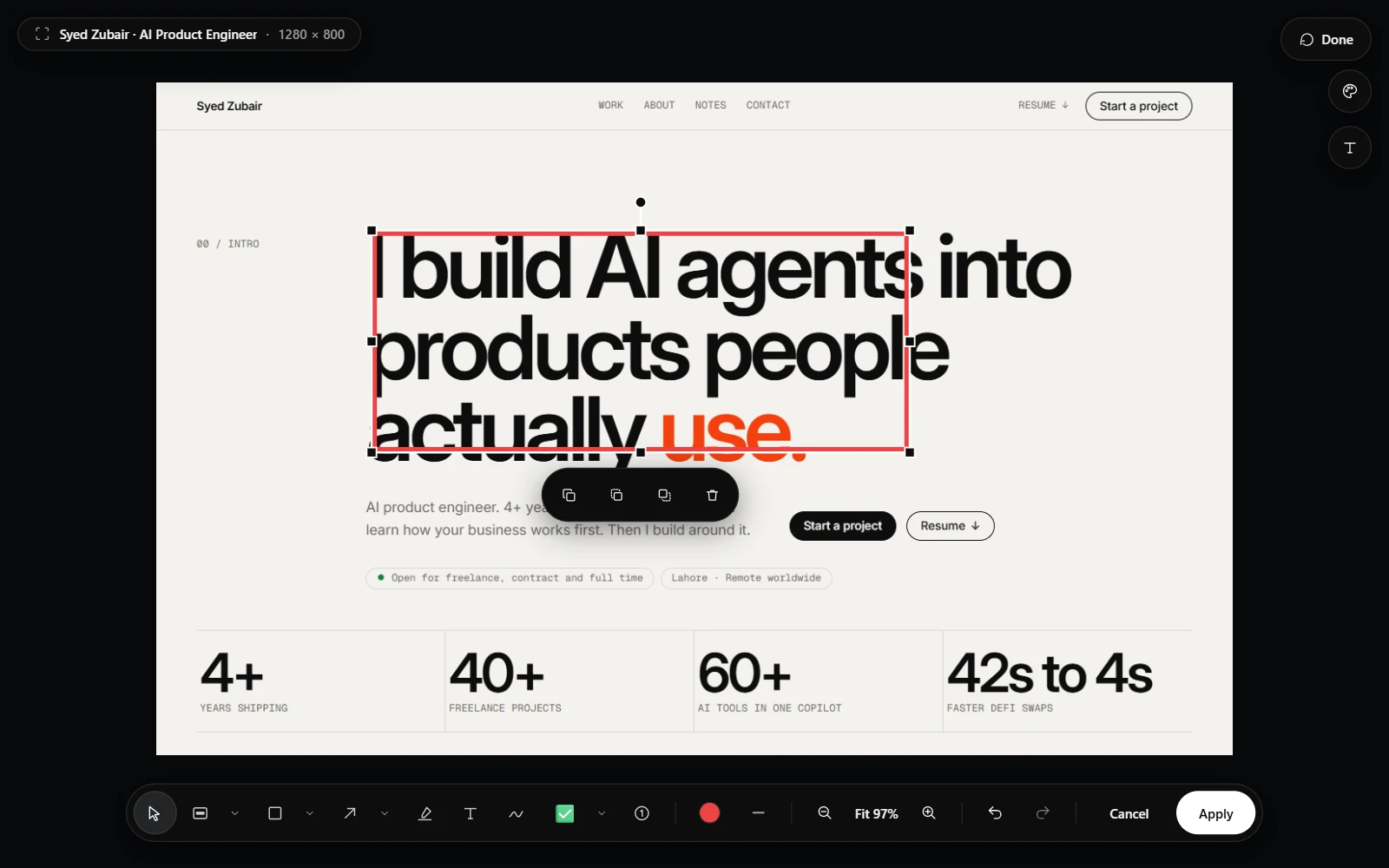
Resize, rotate, and reshape
A selected shape has handles on its corners and edges for resizing and a grip for rotating it. Hold Shift while rotating and the angle snaps to 15-degree steps, which makes a level result easy. An arrow has a grip on each end instead, so you can move the tail and the head separately.
Drag the mark itself to move it.
Small moves and quick actions
Use the arrow keys to nudge a selected mark a little at a time. Double-click a piece of text to rewrite it. A small bar of actions appears beside a selected mark, and each action has a shortcut:
- Delete removes the mark.
- Ctrl+D duplicates it, which is the quickest way to repeat a mark at an exact distance.
- The right and left square brackets, ] and [, move it forward or back in the stack when marks overlap.
Restyle what is selected
The colour, stroke, and text size controls act on whatever is selected. Pick a mark up, change its colour, and that mark changes. With nothing selected, the same controls set the style of the next mark you draw. The text, highlight, and pen options work the same way.
Any colour you like
The colour popover opens with twelve named colours as small circles along the top. If none is right, the picker below them has a colour field, a hue strip, a hex box, your recent colours, and an eyedropper.
Press I, or choose the eyedropper, and click anywhere on the capture to take that exact pixel. An annotation that matches the page it explains looks like part of it.
- Use one or two colours for a whole capture. The reading order is clearer when the marks look related.
- Take a highlight colour from the page itself with the eyedropper so it stays on brand.